Figma Make Prompting
Establishing Standards for AI-Prototyping
Timeline
Dec 2025 – Jan 2026
My Role
Senior UX Designer
Tools
Figma, Figma Make
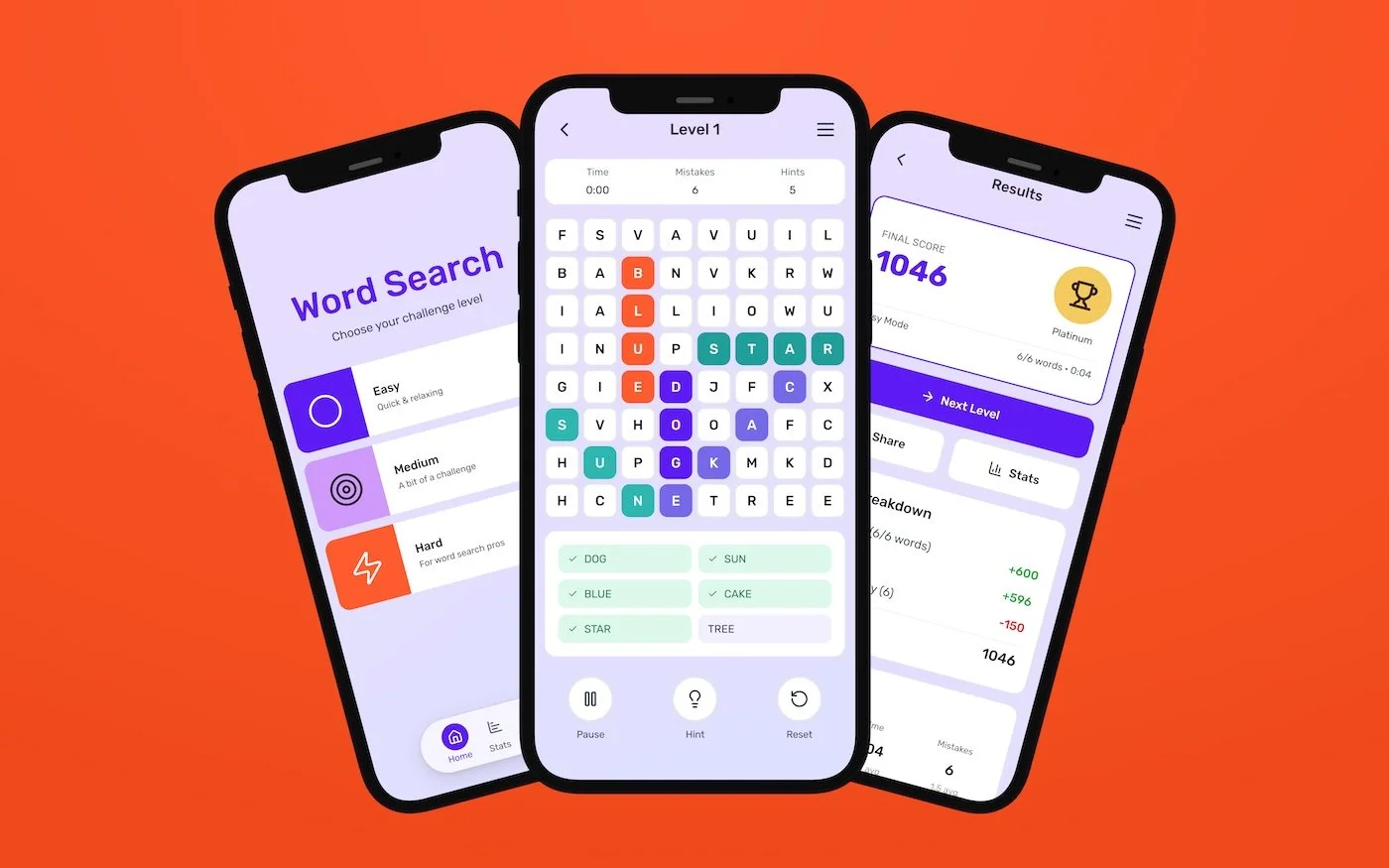
Three mobile screens showing a word search game built in Figma Make, used to stress-test AI-assisted prototyping through sustained iterationOverview
Goal
AI-assisted design tools are rapidly entering production workflows, but most teams lack standards for using them reliably. This work focuses on the window before standards are set, when designers and teams still have leverage to shape how AI-assisted prototyping is incorporated into day-to-day workflows and scaled across teams.
Figma Make was evaluated as a system by stress-testing sustained iteration under real product conditions, rather than treating AI-assisted prototyping as a one-off generation tool.
The work was shared with and reviewed by the Figma Make team as part of ongoing conversations about how the tool evolves and how designers can learn to use it more reliably.
The goal was to understand where AI accelerates prototyping, where it introduces risk, and how designers can retain control as complexity increases.
Process
The work began as exploratory systems research, examining how Figma Make is used in practice and how AI-assisted prototyping behaves under sustained use and scale.
Most guidance in the industry is conceptual. Designers are encouraged to “add more context,” “be explicit,” or “explain intent,” but are rarely shown full, reusable prompts end to end. Very few examples demonstrate what happens once iteration begins or how prompts behave as complexity increases.
Reviewing articles, videos, and community examples showed that most demonstrations lack explicit context and stop short of sustained iteration needed to fully understand the tool’s capabilities.
To move beyond those surface-level use cases, two complementary experiments were used to stress-test Figma Make under different conditions.
Experiment 1: Sustained iteration from scratch
A complete, functioning word search game app was built entirely from scratch to observe how AI-assisted prototyping behaves as complexity increases over sustained iteration. Rather than treating Make as a generation tool, it was used as a prototyping system to explore complete flows, states, behaviors, and constraints over time.
This involved iterating on a single build across gameplay, difficulty settings, results states, and secondary flows, allowing changes to stack and system behavior to emerge over time. The end result was a fully functional playable web prototype and remixable Make file, preserving the complete prompt history and iteration trail.
A deeper breakdown of this experiment, including what worked, what broke, and how iteration evolved over time, is documented in I built a game app in Figma Make. Here’s what actually worked (and what didn’t) (Bootcamp).
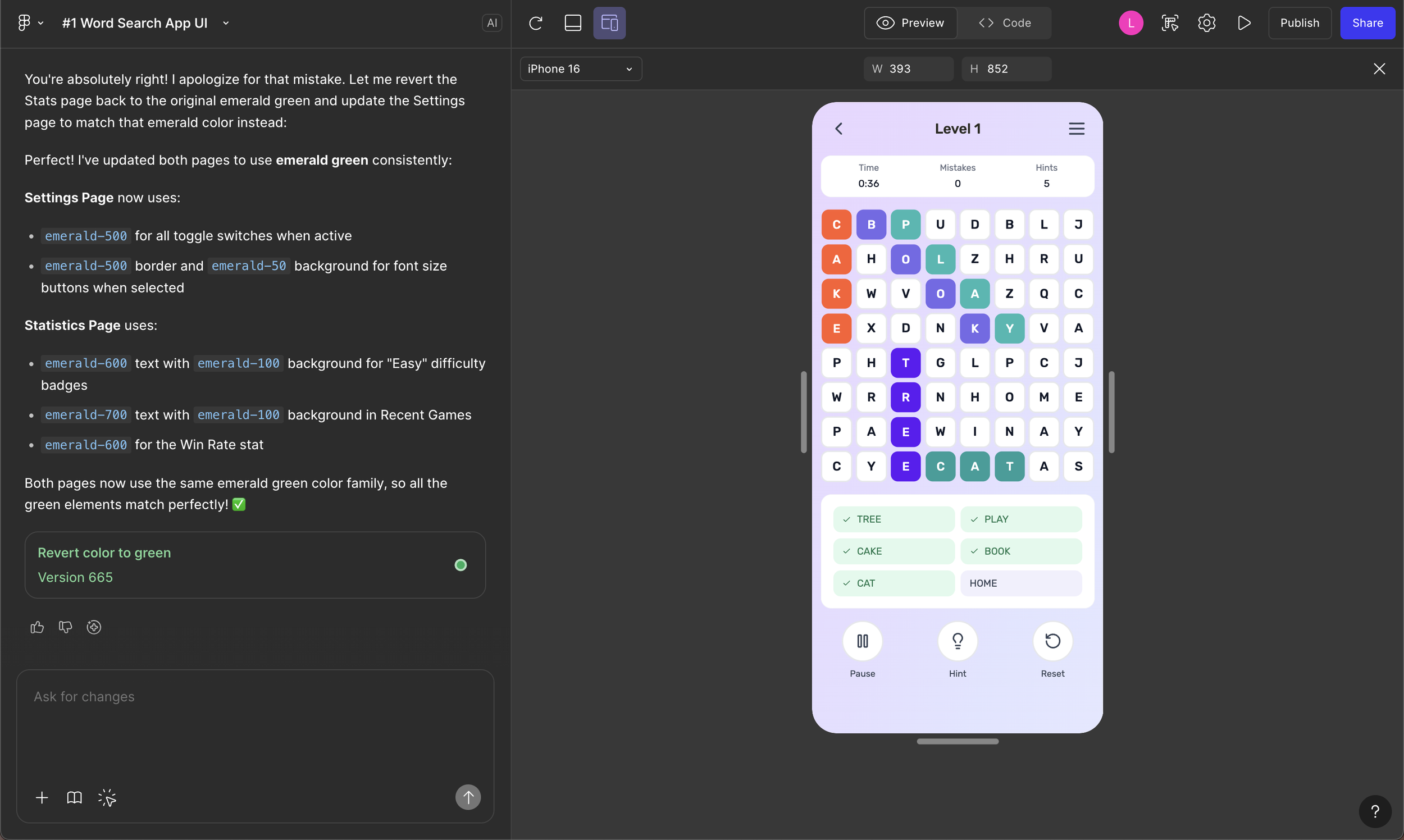
Word search game prototype alongside generated code, showing how layout, interactions, and logic evolved during sustained iteration in Figma Make.Experiment 2: Single-prompt stress test
In contrast, the marketplace browsing experience tested how much complexity could be supported by a single, highly structured prompt. The goal was to front-load decisions and observe where reliability held and where it began to break down without incremental correction.
The experience included common product requirements such as search, filters, product grids, seller identity, responsive behavior, and accessibility, making it representative of real product work.
Across both experiments, the work involved:
Writing and reusing long-form prompts to evaluate stability
Running identical prompts multiple times to test output consistency
Comparing heavy iteration workflows (680+ prompts) against more structured, upfront prompting
Tracking where requirements were skipped, reinterpreted, or lost
Identifying workarounds that restored control or reduced reruns
The focus throughout was not visual polish, but observing where speed increased, where reliability broke down, and how control shifted as AI-assisted prototyping scaled.
This experiment is expanded in Figma Make prompts, with real examples (UX Collective), which breaks down the prompt structure, tradeoffs, and real inputs used to test how far a single prompt can reliably go.
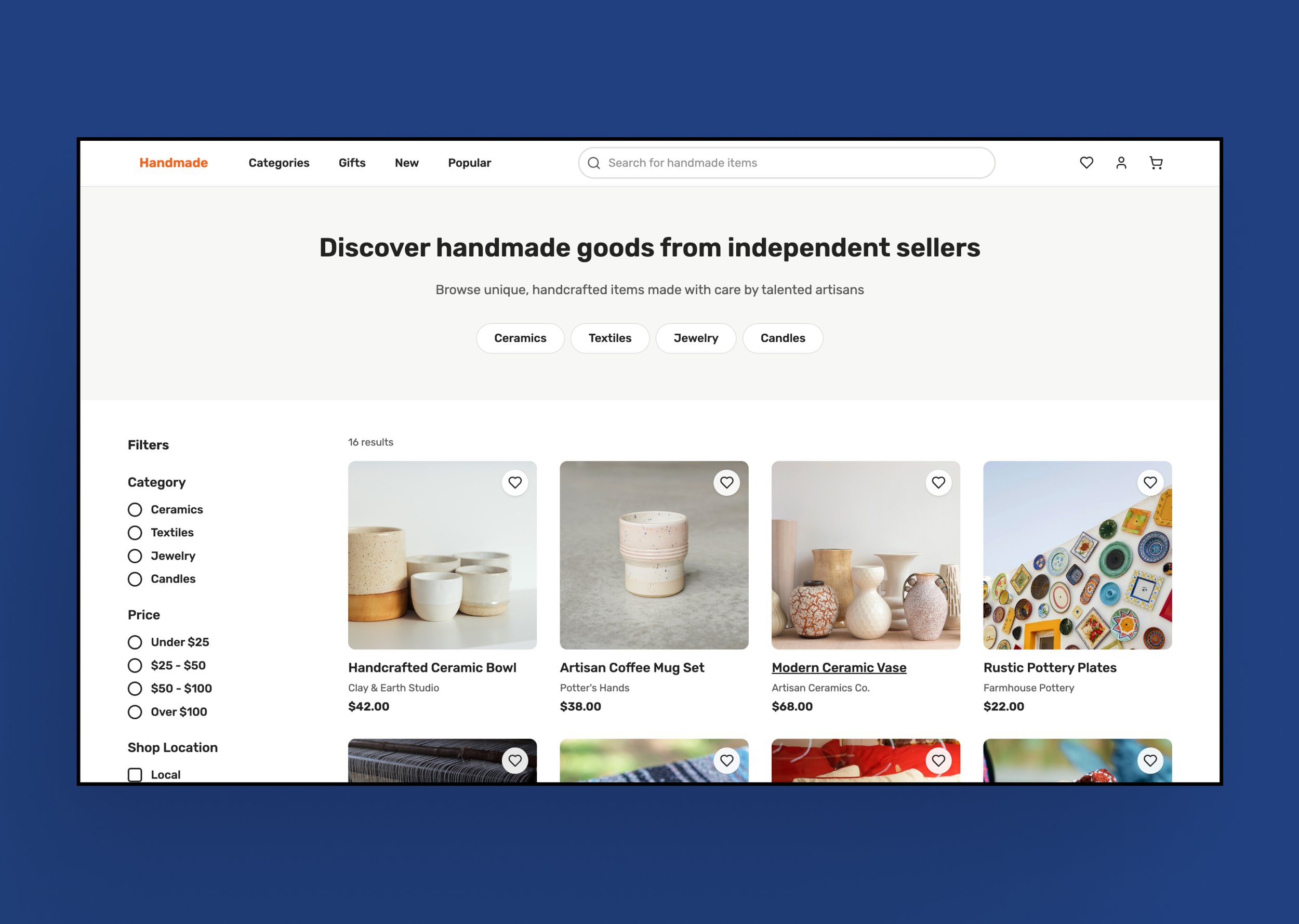
Single-page marketplace browsing prototype generated from one structured prompt, in Figma Make.Insights
Several clear patterns emerged once Figma Make was pushed past initial success cases and used under sustained iteration.
First, Prompt structure determines control, but only up to a point.
More explicit, structured prompts produced stronger and more consistent results than loose inputs. However, as complexity increased, execution time rose to 10–15 minutes per run, and small inconsistencies began to appear, such as implied spacing or interaction details being ignored.
In some runs the output matched what was asked for, while in others minor requirements were skipped. This exposed a practical ceiling on how much intent the system could reliably hold in a single prompt. The most reliable results came from combining a structured starting prompt with targeted refinements, rather than relying on a single prompt alone.
Second, system awareness determines stability.
AI-generated layouts are constrained by how they are built in code, not just how they look on the canvas.
Some spacing and responsiveness constraints were the result of Tailwind CSS and flexbox decisions in the underlying structure. Before understanding that structure, requests to change margin or padding often produced no visible change. Once the layout logic was clear, those same changes became possible using Make’s point-and-edit and code editing tools.
The takeaway is simple: designers who understand the HTML and CSS behind AI-generated screens have more control, fewer reruns, and better outcomes. This directly informed why I later wrote Tailwind CSS for Designers.
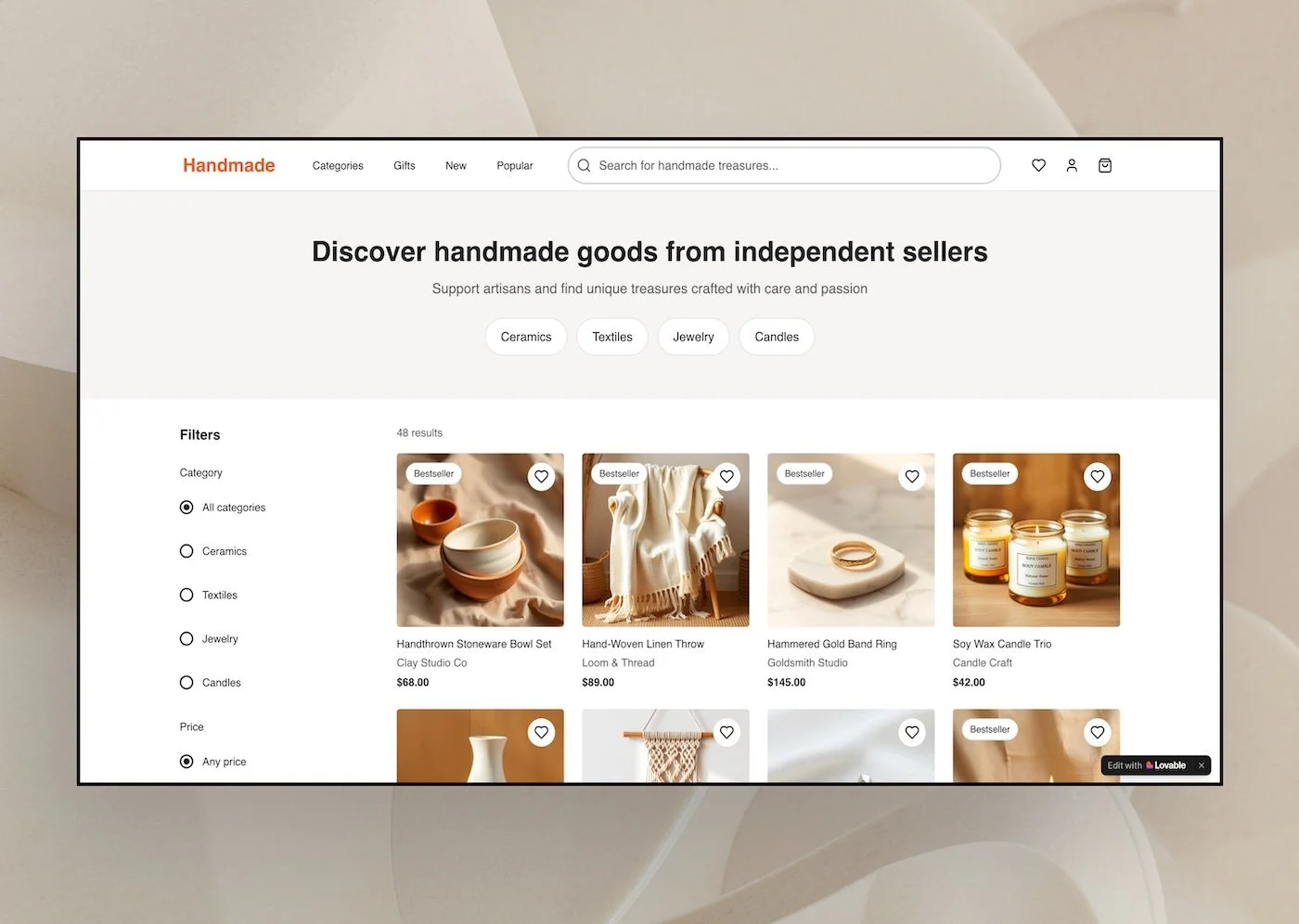
Single-page marketplace browsing prototype generated from one structured prompt, in Lovable.Third, reliability breaks under pressure.
Running the same 11-page prompt through both Figma Make and Lovable produced nearly identical prototypes, including the same layout and spacing constraints. In some runs the output behaved as expected, while in others the same issues appeared, even though the prompt hadn’t changed.
That inconsistency matters more as these tools move toward credit-based pricing. When each prompt run has a cost, unreliable outputs quickly turn speed into waste. Seeing the same problems across tools made it clear that, right now, the prompt itself has more impact on the result than the tool generating it.
When this happens across a team, the inconsistency compounds into higher cost, lower quality, and weaker decision-making.
Fourth, iteration strategy is a primary control lever.
The word search game required roughly 680 prompts as changes stacked and unintended breakage accumulated over time. In contrast, the marketplace experiment reached a functional result in about 40 prompts by front-loading decisions into a single structured prompt.
The difference was not UI complexity. It was how much intent was defined before generation began, and how much correction was deferred until after.
Finally, AI tools do not remove accountability.
Across both experiments, accessibility, interaction quality, and edge cases could not be assumed, even when explicitly requested. Verification and judgment remained essential.
Outcomes
This work shows what happens when AI-assisted prototyping tools are stress-tested under real product conditions.
Reduced iteration from 680+ prompts to 40 through structured upfront prompting
Documented inconsistent outputs across sessions and tools
Established repeatable prompt patterns grounded in real product constraints
Identified limits of long-form prompts, including skipped requirements and interaction drift
Confirmed designer accountability for accessibility and interaction quality
Implications
This work clarifies where AI-assisted prototyping creates real value and where it introduces hidden risk as complexity and scale increase.
Without shared standards, AI-assisted prototyping shifts risk onto designers and teams, especially as outputs begin informing real product decisions and tooling moves toward usage-based pricing.
As AI use spreads, inconsistent prompting compounds into inconsistent cost, quality, and decision-making, even when teams use the same tools.
The takeaway is not to slow adoption, but to recognize this as the window before standards harden. Design teams still have leverage to define how AI-assisted prototyping should be used, reviewed, and governed before it becomes default infrastructure.
Based on this work, teams should establish baseline prompt structures and iteration strategies before scaling AI prototyping, rather than letting patterns emerge implicitly through trial and error.